Using the same password for many different websites and apps is something that almost everyone has done at some point, usually not because of carelessness, but because remembering dozens of different logins feels unrealistic in daily life, especially when accounts keep multiplying year after year.
At the same time, news about data leaks, hacked accounts, and stolen information has made many users start to worry, creating an uncomfortable situation where people know they should improve security, yet do not know where to start or which tools can actually help without making everything more complicated.
This is exactly why password manager apps for beginners exist, because they are designed to solve the memory problem in a practical and secure way, allowing you to store logins safely, generate strong passwords, and autofill passwords when needed, without forcing you to memorize everything.
This article was written with a responsible and accessible tone, avoiding fear based language, and focusing instead on clear explanations, realistic expectations, and good habits that anyone can adopt step by step.
Throughout this guide, you will learn password manager basics, understand what a secure vault really is, compare important features, see examples of practical use, and receive guidance on how to choose an app that fits your comfort level, while also being reminded to consult official documentation and enable two step authentication whenever possible.
Understanding Password Manager Basics Without Technical Fear
Learning password manager basics does not require advanced technical knowledge, because at its core a password manager is simply an app that stores your usernames and passwords in one protected place, instead of forcing you to reuse the same login everywhere or write sensitive information on paper.
Rather than remembering dozens of different passwords, you only need to remember one strong master password, which unlocks your secure vault and gives you access to all other stored logins.
This approach reduces mental load while also increasing security, because it becomes possible to use unique and complex passwords for each service without the risk of forgetting them.
A Simple Way to Think About a Password Manager
A password manager works like a locked digital notebook that only you can open, and inside that notebook are your logins, protected by encryption and additional security layers.
What Password Managers Usually Store
- Usernames and email addresses.
- Passwords for websites and apps.
- Secure notes such as Wi-Fi passwords.
- Payment information, depending on settings.
Understanding this simple concept removes much of the fear around using such tools.
Why Using the Same Password Everywhere Is Risky
Using one password for multiple accounts feels convenient, yet it creates a situation where a single leak can expose many services at once, which is why security experts consistently recommend unique passwords.
When one website is compromised, attackers often try the same login on other popular services, a process that works surprisingly often because of password reuse.
Password manager apps for beginners help solve this exact problem without requiring you to change your memory habits drastically.
Problems Caused by Password Reuse
- One leaked password affects many accounts.
- Email accounts become high risk targets.
- Recovery becomes stressful and time consuming.
- Personal data can be exposed across platforms.
Reducing reuse is one of the biggest security improvements a person can make.
What a Secure Vault Really Means
The term secure vault is often mentioned in descriptions of password managers, and while it may sound abstract, it refers to a protected storage system where your data is encrypted and inaccessible without proper authentication.
Encryption means that your information is transformed into unreadable data unless the correct key, your master password, is provided.
Key Characteristics of a Secure Vault
- Strong encryption protects stored data.
- Master password is required to unlock.
- Automatic locking after inactivity.
- Protection against unauthorized access.
For beginners, it is important to know that reputable password managers are built around this concept, making the vault the core of the system.
How Password Manager Apps Work in Daily Use
Understanding how password manager apps for beginners work in everyday situations helps remove uncertainty, because the process is designed to blend into normal browsing and app usage.
Instead of manually typing passwords, the app recognizes login fields and offers to autofill passwords securely.
Typical Daily Workflow
- You open a website or app.
- The password manager recognizes the login screen.
- You unlock the vault with your master password or biometrics.
- The correct login is filled automatically.
This process becomes natural after a short adjustment period.
When Creating a New Account
- The app suggests a strong password.
- You save the login in the vault.
- You do not need to remember the password.
Over time, this habit greatly improves security with minimal effort.
Important Features to Compare When Choosing a Password Manager
When comparing password manager apps for beginners, focusing on essential features helps avoid confusion caused by long feature lists.
The following features are especially important for new users.
Easy Password Storage and Retrieval
- Clear interface for stored logins.
- Search function to find accounts quickly.
- Simple editing options.
Autofill Passwords Across Devices
Autofill passwords reduce typing and prevent mistakes.
- Works in browsers and apps.
- Supports mobile and desktop.
- Secure confirmation before filling.
Cross Device Sync
Sync allows access on multiple devices.
- Phone, tablet, and computer access.
- Automatic updates.
- No manual transfers.
Password Generator
- Creates strong passwords.
- Custom length options.
- Reduces reuse.
Security Alerts and Health Checks
- Warns about weak passwords.
- Highlights reused logins.
- Encourages updates.
Overview of Popular Password Manager Apps for Beginners
This overview focuses on widely used and reputable password managers, highlighting how they feel for beginners rather than deep technical differences.
Apps Commonly Considered by Beginners
- Bitwarden
- 1Password
- LastPass
- Dashlane
Each option has strengths and limitations.
Bitwarden: Open and Accessible for Beginners
Bitwarden is often recommended to beginners because it balances transparency, strong security, and usability.
Main Features of Bitwarden
- Secure vault.
- Password generator.
- Autofill passwords.
- Cross device sync.
Advantages for Beginners
- Clear interface.
- Strong free options.
- Wide platform support.
Limitations to Consider
- Interface less polished than some competitors.
1Password: Polished Experience With Guidance
1Password focuses on a smooth user experience, offering clear explanations and friendly design.
Main Features of 1Password
- Secure vault.
- Password generation.
- Autofill.
- Travel mode and extra security tools.
Advantages for Beginners
- Very intuitive design.
- Strong onboarding.
- Helpful guidance.
Limitations to Consider
- No permanent free plan.
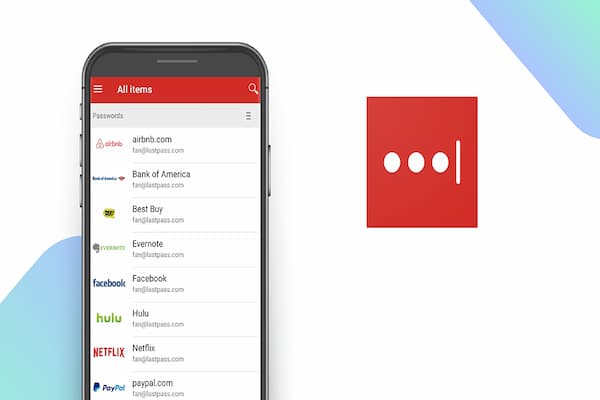
LastPass: Familiar but Requires Careful Review
LastPass is known for ease of use, though beginners should review current policies carefully.
Main Features of LastPass
- Password storage.
- Autofill.
- Password generator.
Advantages for Beginners
- Simple interface.
- Easy setup.
Limitations to Consider
- Free version restrictions.
- Users should review documentation.
Dashlane: Security Focus With Extra Tools
Dashlane offers strong security features combined with usability.
Main Features of Dashlane
- Secure vault.
- Password health dashboard.
- Autofill.
Advantages for Beginners
- Clear security insights.
- User friendly design.
Limitations to Consider
- Premium features required for full access.
Good Practices When Using Password Manager Apps
Using password manager apps for beginners responsibly means adopting a few habits that greatly increase safety.
Choosing a Strong Master Password
- Use a long phrase.
- Avoid personal information.
- Do not reuse other passwords.
Using Autofill Passwords Carefully
- Confirm website addresses.
- Avoid autofill on unknown pages.
Review Stored Logins Periodically
- Remove unused accounts.
- Update weak passwords.
- Check security alerts.
The Importance of Two Step Authentication
Two step authentication adds a second layer of protection beyond passwords.
Why Two Step Authentication Matters
- Protects against stolen passwords.
- Adds verification.
- Improves overall security.
Where to Enable Two Step Authentication
- Password manager account.
- Email account.
- Important services.
Whenever available, enabling this feature is strongly encouraged.
Why Official Documentation Is Important
Each password manager has specific settings and options.
Consulting official documentation helps users understand updates and security features accurately.
Benefits of Reading Documentation
- Clear explanations.
- Updated guidance.
- Accurate security practices.
Common Concerns Beginners Have About Password Managers
Addressing common worries helps users feel confident.
Is It Safe to Store All Passwords in One Place?
Using a reputable password manager with strong encryption is generally safer than reusing passwords.
What Happens If I Forget My Master Password?
Recovery options vary, which is why choosing a strong but memorable master password is important.
Can Password Managers Be Hacked?
No system is perfect, yet strong encryption and good habits significantly reduce risk.
How to Start Using a Password Manager Step by Step
Starting does not need to be overwhelming.
Beginner Friendly Setup Steps
- Choose one reputable app.
- Create a strong master password.
- Enable two step authentication.
- Add a few important accounts.
- Gradually migrate others.
Transitioning Away From Password Reuse
Changing habits takes time.
Gentle Transition Strategy
- Start with email and banking.
- Update passwords gradually.
- Use the generator.
Frequently Asked Questions About Password Manager Apps for Beginners
Do I need internet to use the vault?
Most apps allow offline access to stored passwords.
Are free versions enough?
For many beginners, free plans are sufficient.
Can I switch managers later?
Most apps allow exporting data.
Building Better Security Without Fear
Choosing among password manager apps for beginners is not about becoming paranoid or overly technical, but about taking a calm and practical step toward better digital habits.
By understanding password manager basics, learning how secure vaults protect data, comparing key features, following good practices, and enabling two step authentication, users can significantly improve security without sacrificing convenience.
With the right tool and a responsible mindset, managing passwords becomes simpler, safer, and far less stressful than trying to remember everything alone.