Carrying a love for reading while trying to reduce physical clutter is a very common desire, especially for readers who enjoy books daily but no longer want to fill shelves, bags, and backpacks with heavy volumes that are not always practical to transport.
As smartphones and tablets became more comfortable to read on, many people started to consider digital books as a real alternative, yet choosing the right app for reading often feels confusing, because there are many options that look similar at first glance but behave very differently in daily use.
This reading and ebook apps overview was created to help readers make calm and informed choices, focusing on comfort, clarity, and long-term enjoyment rather than technical hype or exaggerated promises.
Throughout this guide, you will find a detailed review of popular ebook reader apps, explanations of features such as night mode, offline reading, and library sync, notes about supported formats, and practical tips on organizing a personal digital library so reading feels pleasant and natural.
The tone of this article is intentionally calm and descriptive, because reading is meant to slow the mind, not overwhelm it.
Why Ebook Reader Apps Have Become So Popular
Understanding why ebook reader apps have gained popularity starts with recognizing how reading habits have changed over time, especially as people move more frequently, travel lighter, and use mobile devices for multiple purposes throughout the day.
Digital reading allows thousands of books to exist in one place, ready to be opened at any moment, whether during a commute, before sleep, or while waiting in line.
For many readers, the ability to adjust text size, brightness, and background color makes digital reading more accessible and comfortable than printed pages.
Common Reasons Readers Choose Ebook Apps
- Reducing the number of physical books.
- Reading anywhere without carrying weight.
- Adjusting text for visual comfort.
- Reading at night without disturbing others.
- Keeping an entire library in one device.
Convenience, when combined with comfort, changes how often people read.
What Ebook Reader Apps Actually Do
Before comparing apps, it helps to understand what ebook reader apps actually offer, because they are more than simple file viewers and less than full publishing platforms.
An ebook reader app is designed to display digital book files in a format optimized for reading, allowing the user to control layout, font, spacing, and background, while also managing a personal library.
Many apps also include tools such as bookmarks, highlights, and notes, supporting deeper engagement with the text.
Core Functions of Ebook Reader Apps
- Open and display ebook files.
- Adjust font size and style.
- Enable night mode or dark backgrounds.
- Support offline reading.
- Organize a digital library.
Everything beyond these basics is a bonus.
Comfort Comes First: Why Visual Settings Matter
Comfort is the most important factor in choosing an ebook reader app, because even the best book becomes hard to enjoy if the screen strains the eyes or the layout feels tiring.
Good reading apps allow readers to adapt the visual experience to their own needs, making long reading sessions possible without discomfort.
Visual Comfort Features That Matter
- Adjustable font size.
- Multiple font styles.
- Line spacing control.
- Margin adjustments.
- Brightness and color temperature settings.
Small adjustments often make a big difference.
Night Mode: Reading Without Eye Strain
Night mode is one of the most appreciated features among digital readers, especially for those who enjoy reading before sleep or in low-light environments.
By using darker backgrounds and softer text colors, night mode reduces glare and helps the eyes relax.
Benefits of Night Mode
- Less eye fatigue.
- More comfortable night reading.
- Reduced screen brightness.
Not all night modes are equal, which is why testing is important.
Offline Reading: Why It Still Matters
Even in a connected world, offline reading remains essential, because readers often want to enjoy books during travel, flights, or moments without stable internet access.
Good ebook reader apps allow books to be downloaded and stored locally, ensuring uninterrupted reading.
Situations Where Offline Reading Is Useful
- Commuting.
- Traveling.
- Reading outdoors.
- Saving mobile data.
Offline access makes reading more flexible.
Library Sync: Keeping Reading Consistent Across Devices
Library sync allows readers to access the same books across multiple devices, such as a phone and a tablet, while keeping reading progress aligned.
This feature is especially helpful for readers who switch devices depending on time and location.
What Library Sync Usually Includes
- Book availability on multiple devices.
- Synced reading position.
- Shared bookmarks and highlights.
Consistency improves the reading experience.
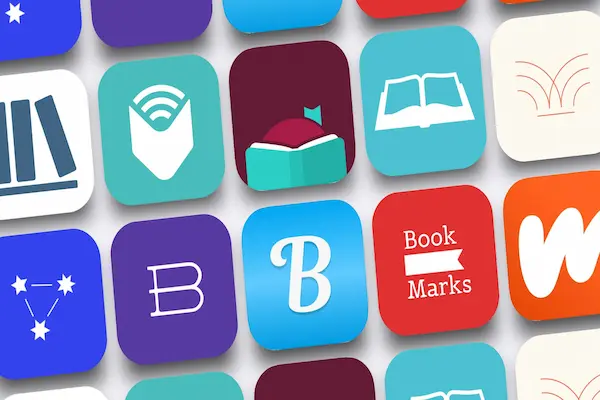
Overview of Popular Ebook Reader Apps
In this reading and ebook apps overview, we will explore several popular and safe ebook reader apps, focusing on comfort, format support, and organization rather than store size or marketing claims.
Apps Covered in This Guide
- :contentReference[oaicite:1]{index=1}
- :contentReference[oaicite:2]{index=2}
- :contentReference[oaicite:3]{index=3}
- :contentReference[oaicite:4]{index=4}
- :contentReference[oaicite:5]{index=5}
Each app will be discussed with features, strengths, limitations, and ideal reader profiles.
Kindle: Reliable and Comfortable Reading Experience
Kindle is one of the most widely used ebook reader apps, offering a stable and comfortable reading experience across devices.
Main Features of Kindle
- Customizable fonts and layout.
- Night mode and warm light options.
- Offline reading.
- Library sync.
Why Readers Choose Kindle
- Very comfortable reading layout.
- Consistent performance.
- Easy library management.
Limitations to Consider
- Limited support for external formats.
Ideal Reader Profile
Readers who prioritize comfort and simplicity.
Google Play Books: Flexible and Open Format Support
Google Play Books offers flexibility by allowing users to upload their own ebook files in addition to reading purchased content.
Main Features of Google Play Books
- Support for multiple formats.
- Night mode.
- Offline reading.
- Library sync.
Why Readers Choose Google Play Books
- Open file support.
- Clean interface.
- Cross-platform access.
Limitations to Consider
- Fewer customization options.
Ideal Reader Profile
Readers who already have digital book files.
Apple Books: Smooth Experience for Apple Users
Apple Books is deeply integrated into Apple devices, offering a smooth and visually pleasing reading experience.
Main Features of Apple Books
- Elegant design.
- Night mode.
- Library sync.
- Offline reading.
Why Readers Choose Apple Books
- Beautiful interface.
- Seamless device integration.
Limitations to Consider
- Limited outside Apple ecosystem.
Ideal Reader Profile
Readers fully using Apple devices.
Kobo Books: Balanced Features and Comfort
Kobo Books provides a comfortable reading environment with strong customization options.
Main Features of Kobo Books
- Font and layout control.
- Night mode.
- Offline reading.
Why Readers Choose Kobo
- Comfort-focused reading.
- Good format support.
Limitations to Consider
- Smaller ecosystem.
Ideal Reader Profile
Readers seeking balance between control and simplicity.
Moon+ Reader: Maximum Customization for Advanced Readers
Moon+ Reader is known for offering extensive customization, appealing to readers who like to fine-tune every detail.
Main Features of Moon+ Reader
- Extensive font control.
- Multiple themes.
- Wide format support.
Why Readers Choose Moon+ Reader
- High customization.
- Strong offline reading.
Limitations to Consider
- Interface may feel complex.
Ideal Reader Profile
Readers who enjoy adjusting every detail.
Support for Ebook Formats
Format support determines which files an app can open.
Common Ebook Formats
- EPUB.
- PDF.
- MOBI.
- TXT.
Choosing an app that supports your formats avoids frustration.
Marking, Highlighting, and Notes
Many readers like to interact with text.
Useful Reading Tools
- Bookmarks.
- Text highlights.
- Personal notes.
These features support study and reflection.
Organizing a Digital Library
A well-organized library makes reading more enjoyable.
Simple Organization Tips
- Group books by genre.
- Use reading status tags.
- Remove unfinished duplicates.
Creating a Comfortable Reading Routine
Routine helps reading become a habit.
Daily Reading Ideas
- Read before sleep.
- Use commute time.
- Set short reading sessions.
Common Mistakes When Choosing Ebook Apps
- Ignoring comfort settings.
- Using too many apps.
- Not testing night mode.
How to Choose the Right Ebook Reader App for You
The best app depends on reading style.
Questions to Ask Yourself
- Do I read mostly at night?
- Which formats do I use?
- Do I need library sync?
Frequently Asked Questions About Ebook Reader Apps
Are ebook apps comfortable for long reading?
Yes, with proper settings.
Can I read without internet?
Most apps support offline reading.
Do all apps support night mode?
Most modern apps include it.
Choosing Comfort and Calm for Digital Reading
This reading and ebook apps overview shows that digital reading can be just as comfortable and enjoyable as physical books when the right app and settings are chosen.
By focusing on ebook reader apps that offer strong visual comfort, night mode, offline reading, and thoughtful library organization, readers can build a digital reading experience that supports relaxation rather than distraction.
When reading feels comfortable and accessible, books remain close, stories stay alive, and the habit of reading continues naturally, even in a lighter and more mobile form.