
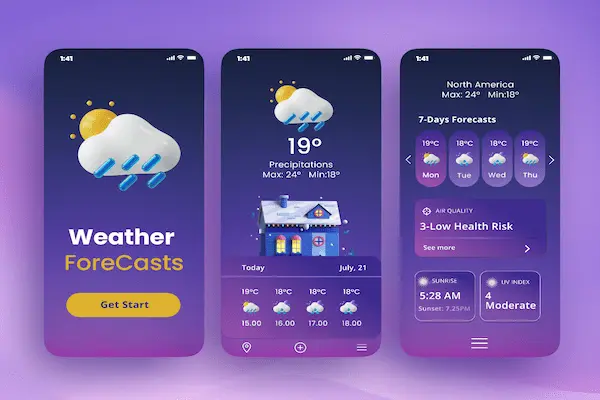
Checking the weather has become a daily habit for many people, whether to decide what to wear, plan work activities, organize outdoor tasks, or simply know what to expect before leaving home, and because this consultation happens so often, clarity and reliability matter much more than complex graphics or excessive information.
With so many weather apps available, choosing one can feel confusing, especially when most of them promise accurate forecasts, real time alerts, detailed radar maps, and customizable widgets, yet deliver very different experiences in day to day use.
This weather forecast apps comparison was created for users who check the weather daily for work or leisure and want a simple, readable, and trustworthy app that fits naturally into their routine without requiring constant adjustments or technical knowledge.
The goal of this article is to offer a clear weather apps review, comparing popular and safe options, highlighting daily forecast readability, radar maps, alert systems, and widget options, while also sharing practical tips on how to configure these apps for useful and realistic information.
The tone throughout the article is objective, neutral, and straightforward, focusing on usability and clarity rather than hype, because a weather app should help decisions, not create confusion.
Why Comparing Weather Forecast Apps Is Important
Understanding why a weather forecast apps comparison is useful starts with recognizing that weather information directly affects daily choices, from clothing and commuting to work schedules, outdoor plans, and safety decisions.
Although most weather apps use similar data sources, the way this information is presented can make a significant difference in how quickly and accurately users understand the forecast.
Some apps focus on visual richness, while others prioritize concise summaries, and for someone who checks the weather every day, small differences in layout and clarity become very noticeable over time.
Common Reasons People Rely on Weather Apps Daily
- Planning work activities.
- Organizing outdoor leisure.
- Choosing appropriate clothing.
- Monitoring rain, wind, or heat.
- Receiving weather alerts.
Consistency and readability often matter more than advanced features.
What a Weather Forecast App Actually Does
Before comparing specific apps, it is helpful to clarify what a weather forecast app actually offers, because many users assume all apps behave the same, when in practice the experience varies widely.
A weather app collects meteorological data from various sources, processes this information into forecasts, and displays it in formats such as daily summaries, hourly breakdowns, radar maps, and alerts.
The quality of a weather app is not only about forecast accuracy, but also about how clearly and honestly that information is communicated.
Core Functions of Weather Forecast Apps
- Show current weather conditions.
- Provide daily and hourly forecasts.
- Display radar maps.
- Send weather alerts.
- Offer home screen widgets.
A good app balances information and simplicity.
Daily Forecast: The Most Used Feature
For most users, the daily forecast is the main reason to open a weather app, because it offers a quick overview of temperature, rain chances, and general conditions.
A well designed daily forecast should be readable at a glance, without requiring scrolling through multiple screens or interpreting complex charts.
What Makes a Daily Forecast Easy to Read
- Clear temperature range.
- Simple weather icons.
- Visible precipitation chances.
- Concise text descriptions.
Simplicity helps users make faster decisions.
Radar Maps: Useful, but Not for Everyone
Radar maps show real time or near real time precipitation, helping users understand how weather systems are moving.
While radar maps are extremely helpful for users who need to plan outdoor work or travel, they can feel unnecessary for those who only want to know if it will rain later.
When Radar Maps Are Especially Helpful
- Outdoor work planning.
- Travel decisions.
- Monitoring storms.
- Understanding rain timing.
Clear animation and simple controls make radar maps more accessible.
Alerts and Notifications: Information at the Right Time
Weather alerts are one of the most important safety features in weather apps, especially for severe conditions such as storms, extreme heat, or strong winds.
However, alerts only work well when they are relevant and not excessive, because too many notifications can lead users to ignore them.
Types of Weather Alerts Commonly Offered
- Severe weather warnings.
- Rain or storm alerts.
- Temperature extremes.
- Air quality notifications.
Proper configuration improves usefulness.
Widget Options: Quick Weather Without Opening the App
Widgets allow users to see weather information directly on the home screen, making them one of the most valued features for people who check the weather multiple times a day.
A good widget shows essential information without clutter and updates reliably.
Useful Widget Information
- Current temperature.
- Weather condition icon.
- High and low temperatures.
- Rain chance.
Widgets save time and reduce app usage.
Overview of Popular Weather Forecast Apps
In this weather forecast apps comparison, we will review widely used and safe weather apps, focusing on clarity, daily forecast readability, radar maps, alert systems, and widget options.
Apps Covered in This Comparison
- :contentReference[oaicite:1]{index=1}
- :contentReference[oaicite:2]{index=2}
- :contentReference[oaicite:3]{index=3}
- :contentReference[oaicite:4]{index=4}
- :contentReference[oaicite:5]{index=5}
Each app will be analyzed with strengths, limitations, and ideal use cases.
AccuWeather: Detailed Forecasts With Strong Alerts
AccuWeather is known for offering detailed forecasts and strong alert systems, making it popular among users who want precise weather information.
Main Features of AccuWeather
- Minute by minute precipitation forecast.
- Daily and hourly views.
- Radar maps.
- Severe weather alerts.
Strengths for Daily Users
- Clear daily summaries.
- Reliable alerts.
- Multiple widget options.
Limitations to Consider
- Interface can feel busy.
Best For
Users who want detailed forecasts and frequent updates.
The Weather Channel: Visual and Information Rich
The Weather Channel app offers a visually rich experience with strong radar maps and extensive weather details.
Main Features of The Weather Channel
- High quality radar maps.
- Daily and hourly forecasts.
- Weather alerts.
- Custom widgets.
Strengths for Daily Users
- Clear weather icons.
- Good readability.
- Strong radar visuals.
Limitations to Consider
- More information than some users need.
Best For
Users who like visual detail and radar maps.
Weather Underground: Community Based Data
Weather Underground combines traditional forecasts with data from local weather stations, offering a community driven approach.
Main Features of Weather Underground
- Local station data.
- Radar maps.
- Daily forecasts.
Strengths for Daily Users
- Localized information.
- Detailed metrics.
Limitations to Consider
- Interface less modern.
Best For
Users interested in local weather details.
WeatherBug: Straightforward and Practical
WeatherBug focuses on clear presentation and practical alerts.
Main Features of WeatherBug
- Daily and hourly forecasts.
- Radar maps.
- Alert notifications.
Strengths for Daily Users
- Easy to read forecasts.
- Simple navigation.
Limitations to Consider
- Fewer customization options.
Best For
Users who want simplicity and reliability.
Google Weather: Minimalist and Fast
Google Weather offers a minimalist weather experience integrated into the Google ecosystem.
Main Features of Google Weather
- Current conditions.
- Daily and hourly forecasts.
- Clean layout.
Strengths for Daily Users
- Very simple interface.
- Fast access.
Limitations to Consider
- Limited radar features.
Best For
Users who want quick checks without extra features.
Side by Side Comparison of Key Features
Daily Forecast Readability
- AccuWeather: Detailed but dense.
- The Weather Channel: Visual and clear.
- Weather Underground: Data focused.
- WeatherBug: Simple and readable.
- Google Weather: Minimalist.
Radar Maps Quality
- Strong: The Weather Channel, AccuWeather.
- Moderate: Weather Underground, WeatherBug.
- Limited: Google Weather.
Widget Options
- Multiple widgets: AccuWeather, The Weather Channel.
- Basic widgets: WeatherBug.
- Minimal widgets: Google Weather.
Tips for Configuring Weather Apps for Daily Use
Proper configuration makes weather apps more useful and less distracting.
Recommended Settings Adjustments
- Enable only relevant alerts.
- Choose a clear daily forecast view.
- Add one simple widget.
- Set location accuracy correctly.
Common Mistakes When Using Weather Apps
- Turning on all alerts.
- Relying on one data point.
- Ignoring forecast updates.
How to Choose the Best Weather App for You
The best weather app depends on how you use weather information.
Questions to Guide Your Choice
- Do I need radar maps?
- How often do I check the weather?
- Do I prefer simple or detailed forecasts?
Frequently Asked Questions About Weather Forecast Apps
Are weather forecasts always accurate?
Forecasts are estimates and improve closer to the date.
Do widgets affect battery life?
Simple widgets usually have minimal impact.
Should I use more than one app?
One well configured app is usually enough.
Choosing Clarity and Practicality for Everyday Weather Checks
This weather forecast apps comparison shows that while many apps offer similar core data, the experience varies greatly in clarity, design, and usability.
By choosing a weather app that presents daily forecasts clearly, offers radar maps only if needed, provides useful widget options, and sends relevant alerts without overload, users can make better daily decisions with less effort.
When weather information is easy to understand and quick to access, checking the forecast becomes a helpful habit rather than a source of confusion, supporting both work planning and leisure activities with confidence.