Using the internet has become a normal part of daily life, whether for talking to friends, paying bills, studying, shopping, watching videos, or simply passing time, and for most people this happens without much thought about security or risks.
For beginners and everyday users, internet safety can sound complicated or scary, often associated with hackers, viruses, or dramatic stories, which leads many people to ignore the topic completely or believe that problems only happen to others.
This complete guide on internet safety tips for beginners was created to show that online safety does not need to be technical, expensive, or stressful, because most protection comes from simple habits, basic attention, and a bit of common sense applied consistently.
Throughout this article, you will learn what online safety really means, why it matters even for regular users, which habits make the biggest difference, how to recognize common risky situations, and how to follow a simple checklist that helps keep your digital life more protected without changing the way you enjoy the internet.
The goal is not to create fear, but to build awareness and confidence, helping you feel more comfortable and in control while browsing, communicating, and using online services.
What Internet Safety Means in Everyday Life
Internet safety is not only about avoiding hackers or viruses, but mainly about protecting your personal information, your money, your accounts, and your peace of mind while using websites, apps, and online services.
For beginners, safety starts with understanding that almost every online action involves sharing some type of information, even when it does not feel obvious.
Examples of Information You Share Online
- Your name and email address.
- Your passwords.
- Your location.
- Your payment details.
Being aware of this sharing is the first step toward safer behavior.
Why Internet Safety Matters Even for Regular Users
Many people believe that they are not important enough to be targeted, but most online problems are not personal attacks, they are automated or random, affecting anyone who happens to click the wrong link or reuse the same weak password.
Beginners are often more exposed simply because they have not learned the warning signs yet.
Common Problems That Affect Regular Users
- Fake messages asking for personal data.
- Accounts accessed by strangers.
- Unwanted charges or subscriptions.
- Loss of photos or documents.
Most of these situations can be avoided with simple habits.
Understanding That Online Safety Is About Habits
Internet safety does not depend on being an expert, installing many tools, or constantly worrying, because it is mostly about repeating small protective actions until they become automatic.
These habits work together and become stronger when applied consistently.
Core Safety Habit Areas
- Keeping devices updated.
- Using strong passwords.
- Being careful with links and messages.
- Protecting personal information.
Each habit alone helps, but together they make a big difference.
Keeping Devices and Apps Updated
Updates are one of the simplest and most effective safety measures, yet many beginners delay or ignore them because they seem inconvenient or unnecessary.
In reality, updates often fix security problems that attackers already know about.
Why Updates Are Important
- They fix known security weaknesses.
- They improve system stability.
- They protect against new threats.
Ignoring updates leaves doors open.
What Should Be Updated Regularly
- Operating system.
- Web browser.
- Installed apps.
Automatic updates are helpful for beginners.
Creating and Using Strong Passwords
Passwords are the main key that protects your online accounts, yet many people still use simple combinations or repeat the same password everywhere, which makes it easy for one problem to spread to many accounts.
Strong passwords do not need to be impossible to remember, but they should be hard to guess.
What Makes a Password Weak
- Very short length.
- Common words.
- Personal information.
Weak passwords are easily broken.
Characteristics of a Strong Password
- At least 12 characters.
- Combination of letters and numbers.
- Not used anywhere else.
Length matters more than complexity.
Why Reusing Passwords Is Risky
When the same password is used on multiple sites, a problem in one service can lead to access to many others without you realizing it.
This is one of the most common causes of account takeovers.
Better Password Habits
- Different passwords for important accounts.
- Unique password for email.
Email security is especially important.
Recognizing Suspicious Links and Messages
One of the most common online risks comes from clicking links in messages, emails, or pop-ups that look legitimate but are actually designed to steal information.
These messages often create urgency or fear.
Common Signs of Suspicious Messages
- Urgent language.
- Requests for personal data.
- Unexpected attachments.
Pressure is a common tactic.
Examples of Common Risky Situations
Seeing examples helps beginners recognize danger more easily.
Example 1: Fake Delivery Message
- Message claims a package problem.
- Asks to click a link.
Unexpected messages should be questioned.
Example 2: Account Warning Email
- Email claims account will be closed.
- Asks for login details.
Legitimate services rarely ask for passwords.
Example 3: Prize or Giveaway Message
- Claims you won something.
- Asks for personal information.
If it sounds too good, it probably is.
Safe Browsing Habits for Beginners
Safe browsing means paying attention to where you are online and how websites behave.
You do not need to understand technical details to browse safely.
Basic Safe Browsing Tips
- Check website addresses.
- Avoid unknown pop-ups.
- Do not download random files.
Calm attention reduces risk.
Understanding Website Addresses
The address bar can give clues about whether a site is trustworthy.
What to Look For
- Correct spelling of the site name.
- No strange extra words.
Small differences can indicate fake sites.
Being Careful With Online Shopping
Shopping online is convenient, but it also involves sharing payment information.
Safe Online Shopping Habits
- Use well known stores.
- Avoid deals that feel unrealistic.
- Review order confirmations.
Trust your instincts.
Protecting Personal Information Online
Not everything needs to be shared online, even if a website or app asks for it.
Information to Protect Carefully
- Full address.
- ID numbers.
- Bank details.
Share only when necessary.
Social Media and Privacy Basics
Social networks encourage sharing, but beginners should be mindful of what becomes public.
Simple Privacy Steps
- Review profile visibility.
- Limit personal details.
- Be cautious with location sharing.
Privacy settings exist for a reason.
Using Public Wi-Fi Safely
Public Wi-Fi networks are convenient but less secure.
Risks of Public Wi-Fi
- Data interception.
- Fake networks.
Extra care is recommended.
Basic Public Wi-Fi Safety Tips
- Avoid banking activities.
- Log out after use.
Use public Wi-Fi for low risk tasks.
Understanding Scams Without Fear
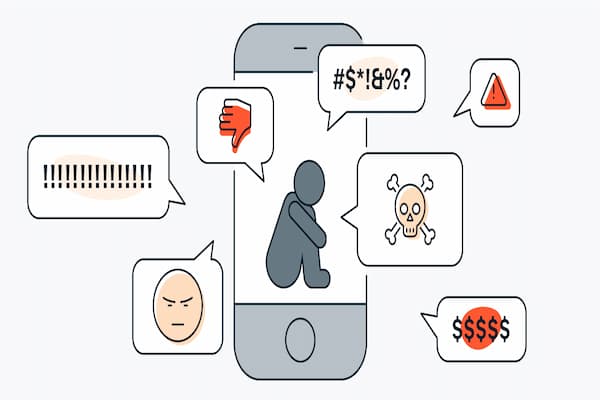
Scams are attempts to trick users into giving information or money, and they often rely on emotion rather than technology.
Common Scam Emotions
- Fear.
- Urgency.
- Excitement.
Pausing helps break the trick.
How to React When Something Feels Wrong
Beginners often worry about reacting incorrectly, but stopping and not acting is usually the safest response.
Safe Reaction Steps
- Do not click links.
- Do not reply.
- Close the message.
Inaction is sometimes protection.
Backing Up Important Information
Even with good habits, problems can happen, so backups are a safety net.
Why Backups Matter
- Protect against device loss.
- Protect against mistakes.
Backups reduce stress.
Simple Backup Ideas for Beginners
- External drive.
- Cloud storage.
One backup is better than none.
Keeping a Calm and Balanced Mindset
Internet safety should not turn into constant fear or distrust, because most online activities are safe when approached with basic care.
The goal is awareness, not anxiety.
Healthy Safety Mindset
- Stay informed.
- Stay calm.
- Stay consistent.
Balance is key.
Printable Checklist: Internet Safety Tips for Beginners
Daily Habits
- Think before clicking.
- Log out on shared devices.
Weekly Habits
- Install updates.
- Review important accounts.
Occasional Habits
- Change important passwords.
- Review privacy settings.
This checklist can be saved or printed.
Common Myths About Online Safety
Myth: Only Experts Get Hacked
Most attacks target regular users.
Myth: One Tool Solves Everything
Habits matter more than tools.
Myth: It Is Too Late to Learn
It is never too late to improve.
Practice Exercise: Building One Safe Habit
Exercise 1: Password Review
- Choose one important account.
- Check password strength.
Exercise 2: Update Check
- Check device updates.
Exercise 3: Link Awareness
- Pause before clicking today.
Small steps build safer routines.
Frequently Asked Questions About Internet Safety Tips for Beginners
Do I need special software to be safe?
No, basic habits already help a lot.
Is it dangerous to use the internet daily?
No, when used with care.
Should I worry constantly?
No, awareness is enough.
Final Thoughts and a Gentle Next Step
Learning and applying internet safety tips for beginners is about building simple habits that protect you quietly in the background, without changing the way you enjoy the internet or creating unnecessary fear.
When you keep devices updated, use stronger passwords, stay cautious with links, and remain calm in suspicious situations, you significantly reduce risks while gaining confidence and control over your digital life.
Could you choose just one habit today, such as being more careful with links or reviewing an important password, and start applying it consistently, knowing that online safety grows step by step?