Passwords are the main key that protects your digital life, yet for many people they remain short, reused, easy to guess, or based on habits created years ago, when online risks were much smaller and fewer services required accounts.
Using the same simple password for email, social networks, shopping sites, and work tools may feel convenient in the moment, but this habit creates a chain reaction risk, where one leaked password can silently open the door to many different accounts.
This complete guide on how to create strong passwords was written for everyday users who want better security without complicated technical terms, confusing rules, or unrealistic expectations, focusing instead on practical methods that are easy to apply and easier to remember.
Throughout this article, you will learn what really makes a password strong, why length matters more than strange symbols, how to create memorable password phrases, why password reuse is dangerous, and how to store passwords safely using simple systems or trusted managers.
The goal is to help you feel confident, not overwhelmed, while upgrading one of the most important habits of your digital routine.
Why Passwords Still Matter So Much Today
Even with modern technologies, passwords remain the first line of defense for most online services, meaning that the strength of your password directly affects how easy or difficult it is for someone else to access your account.
Most account compromises do not happen because someone personally targets you, but because automated systems test millions of leaked passwords across many sites.
What Happens When a Password Is Weak
- Accounts can be accessed without warning.
- Personal data may be copied.
- Services may be misused in your name.
Strong passwords reduce these risks significantly.
Common Myths About Strong Passwords
Many users avoid improving their passwords because of myths that make the process feel harder than it really is.
Myth 1: Strong Passwords Are Impossible to Remember
In reality, long and meaningful phrases are easier to remember than short random strings.
Myth 2: Symbols Alone Make Passwords Safe
Length matters more than complexity.
Myth 3: Nobody Would Target My Account
Most attacks are automatic, not personal.
What Actually Makes a Password Strong
A strong password is not defined by how strange it looks, but by how difficult it is to guess or break using automated tools.
Several simple principles work together to increase password strength.
Core Principles of Strong Passwords
- Longer length.
- Unpredictable structure.
- Unique use.
These principles are more important than special symbols alone.
Password Length: The Most Important Factor
Password length is the single most important factor in making a password stronger, because longer passwords take exponentially more time to guess.
A password with 12 or more characters is significantly safer than a short one, even if the shorter one includes symbols.
Why Length Beats Complexity
- More combinations to guess.
- Harder for automated attacks.
Length adds protection naturally.
Recommended Minimum Length
- At least 12 characters.
- Even better with 16 or more.
Longer is usually safer.
Understanding Password Reuse and Why It Is Risky
Reusing the same password across multiple services is one of the most common and dangerous habits, because you lose control over where that password might eventually appear.
If one service suffers a data breach, reused passwords can be tested automatically on other sites.
Problems Caused by Password Reuse
- One breach affects many accounts.
- Loss of email access can cascade.
- Recovery becomes harder.
Unique passwords limit damage.
Which Accounts Deserve the Strongest Passwords First
Not all accounts carry the same level of risk, so it helps to prioritize.
High Priority Accounts
- Email accounts.
- Banking or payment services.
- Cloud storage.
Email security is especially critical.
Medium Priority Accounts
- Social networks.
- Shopping platforms.
These still deserve unique passwords.
What Makes Passwords Easy to Guess
Understanding what weakens a password helps avoid common mistakes.
Examples of Weak Password Choices
- Names or birthdays.
- Simple sequences.
- Keyboard patterns.
Predictability is the enemy.
Introducing the Concept of Passphrases
Passphrases are long combinations of words that form a phrase, sentence, or mental image, making them both strong and memorable.
This approach works especially well for beginners.
Why Passphrases Are Effective
- Long by nature.
- Easy to remember.
- Hard to guess.
Meaning helps memory.
How to Create a Strong Passphrase Step by Step
Simple Passphrase Method
- Choose 3 to 5 unrelated words.
- Mix upper and lower case if allowed.
- Add a number if required.
The result feels natural and secure.
Example Structure
- WordWordWordNumber.
The exact words should be personal.
Using Simple Personal Logic Without Personal Data
A good passphrase can use personal logic without including personal information.
Safe Personal Logic Examples
- Favorite object plus random word.
- Imaginary scene.
Avoid real names or dates.
Why Adding One Symbol Is Not Enough
Many services encourage adding symbols, but symbols alone do not compensate for short length.
Better Use of Symbols
- As part of a long phrase.
- Not as the only complexity.
Length remains the foundation.
Creating Different Passwords Without Forgetting Them
One of the biggest fears is forgetting passwords when they are all different.
This fear often leads to reuse.
Simple Pattern Method
- Use a base passphrase.
- Add a unique part per service.
The base stays memorable.
Example Concept
- BasePhrase + ServiceHint.
The hint should not be obvious.
Writing Passwords Down: When It Can Be Acceptable
While often discouraged, writing passwords down can be acceptable in certain controlled situations.
Safer Ways to Write Passwords
- Store on paper in a secure place.
- Avoid labeling clearly.
Never leave passwords visible.
Using a Password Manager as a Safer Option
Password managers store passwords securely and generate strong ones automatically.
They are helpful for users with many accounts.
Benefits of Password Managers
- Unique passwords everywhere.
- No need to remember all.
One strong master password is required.
Choosing a Strong Master Password
The master password protects all others.
Master Password Tips
- Use a long passphrase.
- Never reuse elsewhere.
This is the most important password.
Where Not to Store Passwords
Some storage habits create unnecessary risk.
Unsafe Storage Examples
- Plain text files.
- Notes synced everywhere without protection.
Convenience should not override safety.
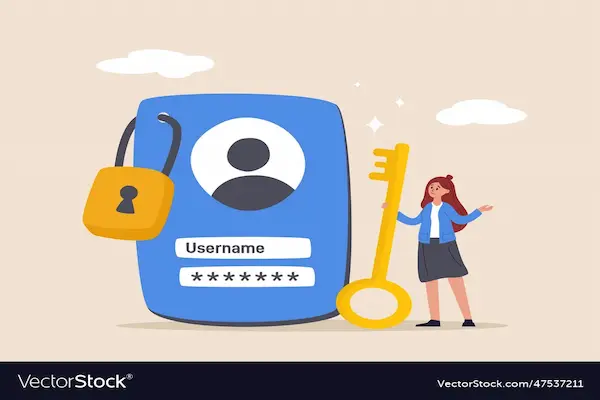
Recognizing Fake Password Requests
Strong passwords can still be stolen through trickery.
Common Warning Signs
- Urgent messages.
- Requests for login details.
Legitimate services rarely ask.
Changing Passwords: How Often Is Enough
Constantly changing passwords is not always necessary.
When to Change Passwords
- After a known breach.
- If you suspect compromise.
Quality matters more than frequency.
Using Two-Step Verification as Extra Protection
Strong passwords are even better when combined with a second step.
Why Two-Step Verification Helps
- Stops access even if password leaks.
- Adds a second barrier.
Enable it for important accounts.
Helping Family Members Improve Password Habits
Password safety improves when everyone understands it.
How to Talk About Passwords With Family
- Explain calmly.
- Offer help creating phrases.
Shared learning builds safety.
Simple Password Habits That Make a Big Difference
Daily Habits
- Pause before creating a password.
- Avoid reuse.
Occasional Habits
- Review important accounts.
Consistency is key.
Printable Checklist: How to Create Strong Passwords
Before Creating a Password
- Is it long enough?
- Is it unique?
After Creating a Password
- Store it safely.
- Do not share.
This checklist reinforces good habits.
Common Mistakes to Avoid
- Short passwords.
- Reusing passwords.
- Sharing passwords.
Avoiding mistakes is half the work.
Practice Exercise: Upgrade One Password Today
Exercise Steps
- Choose one important account.
- Create a long passphrase.
- Store it securely.
Small changes matter.
Frequently Asked Questions About How to Create Strong Passwords
Are long passwords really safer?
Yes, significantly.
Do symbols matter?
They help, but length matters more.
Is it okay to write passwords down?
Only in very secure situations.
Final Thoughts and a Practical Next Step
Learning how to create strong passwords is one of the simplest and most powerful ways to protect your digital life, because a few thoughtful changes can dramatically reduce risk without adding stress or complexity.
When you focus on longer passwords, avoid reuse, use passphrases that make sense to you, and store them safely, security becomes a natural habit rather than a constant worry.
Could you choose one account today, create a longer and more unique password using a phrase you can remember, and take the first step toward a safer and more confident online routine?