Buying products and services on the internet has become part of everyday life for many people, whether to save time, compare prices, or access items that are not available locally, yet for users who shop online only a few times a year, the experience can still feel uncertain, confusing, or risky.
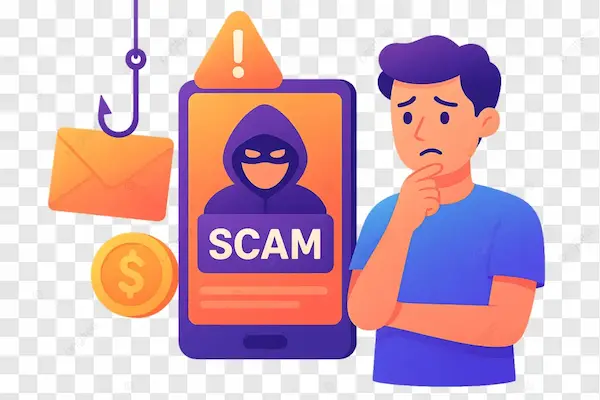
News about scams, fake stores, payment fraud, and undelivered products often make occasional buyers feel insecure, especially when they are not fully familiar with online store layouts, payment steps, or the signs that indicate whether a website is trustworthy.
This complete safe online shopping basics guide was created to help you approach online purchases with more calm and clarity, showing that safe online shopping does not require advanced technical knowledge, but rather a set of simple habits, careful checks, and thoughtful decisions applied before, during, and after each purchase.
Throughout this article, you will learn how to evaluate online stores, understand secure payment options, avoid common traps, use public Wi-Fi more safely, store receipts correctly, and track your orders with confidence, all explained in a practical and tranquil tone.
The objective is to help you feel comfortable shopping online, without fear or rush, while reducing risks and protecting your money and personal information.
What Safe Online Shopping Really Means
Safe online shopping means making purchases in a way that minimizes risks related to fraud, data theft, payment problems, and delivery issues, while maximizing transparency, control, and peace of mind throughout the process.
It does not mean that problems will never happen, but it means you are better prepared to avoid most common issues and react calmly if something unexpected occurs.
Key Elements of Safe Online Shopping
- Choosing trustworthy stores.
- Using secure payment methods.
- Protecting personal information.
- Keeping records of purchases.
Each element plays an important role.
Why Occasional Online Shoppers Often Feel Insecure
People who shop online only a few times a year usually do not build strong habits or familiarity with digital shopping environments, which makes each purchase feel like a new experience filled with doubts.
This uncertainty is normal and can be reduced with clear guidance.
Common Concerns of Occasional Buyers
- Fear of fake stores.
- Worry about payment safety.
- Uncertainty about delivery.
- Doubt about refunds.
These concerns are valid and manageable.
Before You Buy: Evaluating an Online Store Carefully
The most important moment for online shopping safety is before clicking the buy button, because most problems can be avoided by spending a few minutes evaluating the store.
First Impression Matters, But Details Matter More
A professional design alone does not guarantee safety, so it is important to look beyond appearance.
Checklist: Basic Store Verification
- Clear store name and branding.
- Consistent language and prices.
- Working menus and pages.
These signs suggest basic legitimacy.
Checking Store Identification and Transparency
Legitimate online stores usually make it easy to find information about who they are and how to contact them.
Information You Should Look For
- Company name.
- Contact email or phone.
- Physical address or registration details.
Lack of transparency is a warning sign.
Red Flags Related to Store Information
- No contact details.
- Only generic contact forms.
- Copy-and-paste descriptions.
Real businesses expect to be contacted.
Being Careful With Prices That Seem Too Good
Very low prices are one of the most common hooks used by fraudulent stores, especially when combined with urgency or limited availability.
Questions to Ask Before Trusting a Deal
- Is this price realistic?
- Is the discount much higher than elsewhere?
- Is there pressure to buy now?
Pausing reduces impulsive decisions.
Understanding Secure Payment Options
Payment is the most sensitive part of online shopping, and choosing the right method can significantly reduce risk.
What Secure Payment Means
A secure payment method adds layers of protection between your money and the store, making disputes and refunds easier.
Common Secure Payment Characteristics
- Payment confirmation.
- Transaction records.
- Possibility of dispute.
Protection is as important as convenience.
Payment Methods and Safety Considerations
Different payment methods offer different levels of protection.
General Safety Tips for Payments
- Avoid direct transfers to unknown sellers.
- Be cautious with requests for unusual payment steps.
Trustworthy stores follow standard processes.
Understanding Secure Connections Without Overconfidence
Seeing a secure connection indicator shows that information is encrypted, but it does not guarantee the store itself is honest.
What Secure Connection Actually Protects
- Data sent between you and the site.
- Protection from interception.
It does not verify store reputation.
Creating Strong Passwords for Shopping Accounts
If you create an account on an online store, password quality matters.
Password Safety Tips for Shopping Sites
- Use unique passwords.
- Avoid reusing email passwords.
Account safety protects purchase history.
Why Using Public Wi-Fi Requires Extra Care
Public Wi-Fi networks are convenient but less secure, especially for financial activities.
Risks of Shopping on Public Wi-Fi
- Data interception.
- Fake networks.
Extra caution is recommended.
Safer Habits on Public Wi-Fi
- Avoid entering payment details.
- Use public Wi-Fi only for browsing.
Complete purchases on trusted networks.
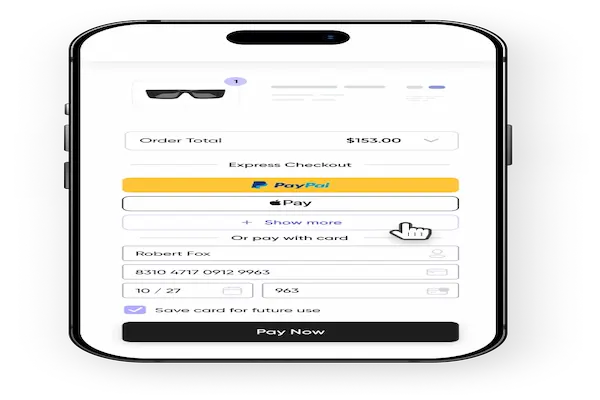
Understanding Checkout Pages and Forms
Checkout pages should request only necessary information.
Normal Checkout Information
- Name.
- Delivery address.
- Payment details.
Requests beyond this deserve attention.
Checkout Red Flags
- Requests for unnecessary data.
- Confusing or unclear steps.
Clarity suggests professionalism.
Before Confirming the Purchase
The final review step is your last chance to catch mistakes.
Final Review Checklist
- Correct product.
- Correct price.
- Correct address.
Careful review prevents problems.
After Payment: Saving Proof of Purchase
Keeping records helps if something goes wrong.
What to Save
- Order confirmation.
- Payment receipt.
- Order number.
Digital copies are sufficient.
Understanding Order Tracking and Delivery
Tracking allows you to follow your purchase.
Normal Order Tracking Behavior
- Status updates.
- Estimated delivery dates.
Lack of updates may require attention.
What to Do If Delivery Takes Longer Than Expected
Delays can happen, especially during busy periods.
Steps to Take Calmly
- Check tracking status.
- Review store communication.
- Contact support if needed.
Patience combined with documentation helps.
Recognizing Post-Purchase Scams
Scammers sometimes target buyers after a purchase.
Common Post-Purchase Scam Messages
- Fake delivery problems.
- Requests for additional fees.
Verify before acting.
Handling Returns and Refunds Safely
Knowing the return process is part of safe shopping.
Before Requesting a Return
- Check store policy.
- Keep packaging when possible.
Clear policies reduce conflict.
Teaching Family Members Safe Online Shopping Habits
Sharing knowledge increases overall safety.
How to Explain Simply
- Show how to check store details.
- Explain why rushing is risky.
Learning together builds confidence.
Printable Checklist: Safe Online Shopping Basics Guide
Before Buying
- Check store information.
- Evaluate prices calmly.
During Payment
- Use secure payment methods.
- Avoid public Wi-Fi.
After Buying
- Save receipts.
- Track the order.
This checklist can be saved or printed.
Common Myths About Online Shopping Safety
Myth: All Big Stores Are Always Safe
Even big stores require attention.
Myth: Secure Connection Means No Risk
Other factors still matter.
Myth: Problems Mean You Were Careless
Scams are designed to trick.
Practice Exercise: Review One Past Purchase
Exercise Steps
- Check an old order confirmation.
- Review what you did right.
- Note one improvement for next time.
Reflection improves future decisions.
Frequently Asked Questions About Safe Online Shopping
Is online shopping safe for beginners?
Yes, with basic precautions.
Should I avoid online shopping completely?
No, awareness is enough.
What matters most for safety?
Calm evaluation before buying.
Final Thoughts and a Calm Next Step
Following a safe online shopping basics guide is not about being suspicious of every store, but about slowing down slightly, checking key details, and trusting your ability to make informed decisions before sharing money or information.
When you evaluate stores carefully, use secure payment habits, avoid risky networks, and keep purchase records, online shopping becomes less stressful and far more predictable.
Could you make it a habit to review the store information and payment method calmly before your next online purchase, knowing that a few extra minutes of attention can save you hours of frustration later?