
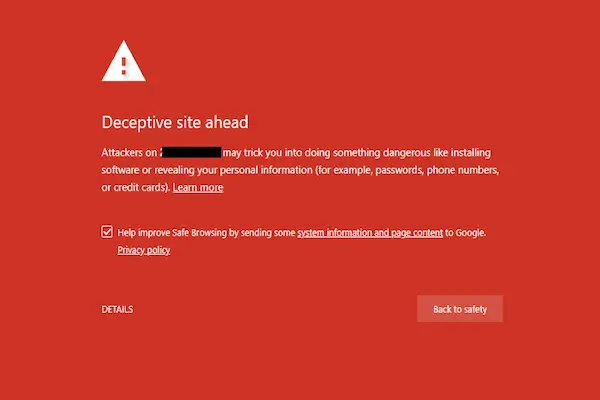
Browsing the internet has become something automatic for most people, especially when looking for products, promotions, services, news, or quick answers, and this routine often involves clicking links from social networks, ads, messages, or search results without much hesitation.
Because of this behavior, fake websites have become increasingly common, designed to look convincing at first glance, copying the appearance of real stores or services, and relying on distraction, urgency, or attractive offers to collect personal data, passwords, or payment information.
This complete guide on how to spot fake websites was created to help everyday users develop a careful and confident eye when visiting unfamiliar pages, using simple observations rather than technical tools, and learning how to pause before trusting a site with personal or financial information.
Throughout this article, you will learn how to analyze website addresses, recognize visual and textual warning signs, understand what information legitimate sites usually provide, evaluate reputation using common sense, and adopt safer habits when browsing, shopping, or filling out forms online.
The goal is not to make you afraid of the internet, but to help you navigate it with more awareness, protecting your data and your peace of mind.
Why Fake Websites Exist and Why They Work
Fake websites exist because they are effective, relatively easy to create, and capable of reaching many people quickly, especially when shared through ads, social media posts, or messages that look casual and trustworthy.
Most fake sites are not created to attack one specific person, but to catch anyone who happens to click without checking details.
Common Goals of Fake Websites
- Collect credit card or payment information.
- Steal login credentials.
- Gather personal data for scams.
- Redirect users to malicious downloads.
Understanding these goals helps you stay alert.
Why Regular Users Are Often the Main Targets
Fake websites usually focus on regular users rather than experts, because everyday browsing habits involve speed, multitasking, and trust in familiar visuals, especially when offers look attractive or urgent.
People who shop online, click ads, or follow links from social networks are naturally exposed.
Situations That Increase Risk
- Looking for discounts or promotions.
- Clicking sponsored ads quickly.
- Accessing sites from social media posts.
Risk increases when attention decreases.
Understanding That Fake Websites Can Look Professional
One of the biggest mistakes beginners make is assuming that fake websites always look poorly made, full of errors, or obviously suspicious, when in reality many of them copy layouts, logos, colors, and product images from real companies.
Visual quality alone is not a guarantee of safety.
Why Appearance Can Be Misleading
- Templates are easy to copy.
- Images can be reused.
- Design tools are widely available.
Details matter more than overall look.
First Step: Carefully Checking the Website Address
The website address, also called the URL, is one of the most important clues when trying to decide if a site is real or fake, and it should always be checked before entering any personal or payment information.
What a Normal Website Address Looks Like
- Clear domain name.
- No strange extra words.
- No unnecessary numbers.
Familiarity helps recognition.
Common URL Tricks Used by Fake Websites
- Misspelled brand names.
- Extra words like “deal” or “promo”.
- Very long addresses.
Small differences can hide big risks.
Looking Closely at Spelling and Writing Quality
Many fake websites contain spelling mistakes, awkward phrases, or poorly translated text, especially in important areas such as payment instructions, policies, or contact information.
While not all fake sites have obvious errors, language quality still offers useful clues.
Writing Red Flags to Watch For
- Repeated grammar mistakes.
- Inconsistent language tone.
- Sentences that feel unnatural.
Professional businesses usually review their content.
Checking for Basic Website Information
Legitimate websites usually provide basic information about who they are, how to contact them, and how they handle customers, even if this information is not immediately visible.
Information Real Websites Usually Include
- Contact details.
- Company description.
- Policies and terms.
Absence of information is a warning sign.
Red Flags Related to Missing Information
- No contact page.
- Only a generic email address.
- No physical address or company name.
Transparency builds trust.
Being Careful With Extremely Low Prices and Big Promises
Fake websites often attract users with prices or promises that seem much better than what is usually available, creating excitement that can override caution.
While discounts do exist, extreme offers deserve extra attention.
Questions to Ask Yourself
- Is this price realistic?
- Is the offer time-limited in a stressful way?
- Do other stores offer similar prices?
Pausing reduces impulse decisions.
Understanding Secure Connections Without Overconfidence
Many users believe that seeing a secure connection indicator automatically means a website is trustworthy, but this symbol only shows that the connection is encrypted, not that the site itself is legitimate.
What Secure Connection Really Means
- Data is encrypted.
- Connection is protected from interception.
Encryption does not equal honesty.
Why Fake Websites Can Still Look Secure
- Security certificates are easy to obtain.
- Scammers use them to gain trust.
Other checks are still needed.
Analyzing Website Layout and Navigation Behavior
Fake websites sometimes have navigation issues that become noticeable when you explore beyond the main page.
Navigation Warning Signs
- Links that do not work.
- Pages that repeat the same content.
- Menus that lead nowhere.
Functional structure suggests legitimacy.
Paying Attention to Pressure and Urgency on the Page
Fake websites often create artificial urgency using countdown timers, flashing messages, or warnings that pressure you to act quickly.
Examples of Pressure Tactics
- “Only 5 minutes left.”
- “Last item available.”
- “Offer expires today.”
Real stores rarely force panic.
Forms That Ask for Too Much Information
One of the clearest signs of a fake website is a form that asks for more information than necessary, especially early in the process.
Information That Deserves Extra Caution
- Full identification numbers.
- Passwords.
- Unnecessary personal details.
Share only what is essential.
Careful Use of Websites Accessed Through Ads and Social Media
Ads and social media links are common entry points to fake websites, because they are often clicked quickly and without careful inspection.
Why Extra Caution Is Needed
- Ads can be created by anyone.
- Posts may be shared unknowingly.
Popularity does not equal safety.
How to Research a Website’s Reputation Using Common Sense
Before trusting a website with money or data, a few minutes of research can prevent long-term problems.
Simple Reputation Check Ideas
- Search the site name plus the word “review”.
- Look for user experiences.
Multiple complaints are a strong signal.
Comparing Real Websites and Fake Websites Side by Side
Understanding differences becomes easier when comparing typical behaviors.
Typical Characteristics of Real Websites
- Clear company information.
- Consistent language.
- Functional navigation.
Typical Characteristics of Fake Websites
- Urgency and pressure.
- Missing details.
- Suspicious forms.
Patterns repeat across many scams.
What to Do If You Suspect a Website Is Fake
Stopping interaction is often the safest action.
Immediate Steps
- Do not enter any information.
- Do not complete purchases.
- Close the page.
Trust your instincts.
What to Do If You Already Entered Information
Mistakes can happen, and acting quickly helps limit damage.
Next Actions
- Monitor payment accounts.
- Change affected passwords.
Early action reduces impact.
Teaching Family Members to Spot Fake Websites
Sharing knowledge improves safety for everyone.
How to Explain Simply
- Show examples.
- Explain common tricks.
Awareness grows through conversation.
Habits That Help Avoid Fake Websites
Daily Habits
- Read addresses carefully.
- Avoid rushing.
Occasional Habits
- Review saved bookmarks.
Consistency matters more than perfection.
Printable Checklist: How to Spot Fake Websites
Before Trusting a Website
- Is the URL correct?
- Is information complete?
- Is there pressure?
Before Entering Personal Data
- Does the site feel transparent?
- Does the request make sense?
This checklist can be saved or printed.
Common Myths About Fake Websites
Myth: Fake Sites Always Look Bad
Many look very professional.
Myth: Secure Connection Means Safe Site
Encryption does not guarantee legitimacy.
Myth: Social Media Links Are Safe
Anyone can post links.
Practice Exercise: Review One Website Today
Exercise Steps
- Choose an unfamiliar site.
- Check address and content.
- Decide if it feels trustworthy.
Practice improves confidence.
Frequently Asked Questions About How to Spot Fake Websites
Are fake websites always illegal?
Many operate in legal gray areas.
Can fake websites appear in search results?
Yes, especially through ads.
Is it safe to just browse without buying?
Browsing is usually safe if no data is entered.
Final Thoughts and a Confident Next Step
Learning how to spot fake websites is about slowing down slightly, observing details that most people overlook, and trusting your ability to notice when something feels off, even if you cannot immediately explain why.
When you check website addresses, look for missing information, question extreme offers, and pause before sharing personal data, you dramatically reduce the chances of falling into online traps.
Could you make it a habit to take a few extra seconds to review the address and basic information of any unfamiliar website you visit this week, using these signs as quiet guides for safer online decisions?