
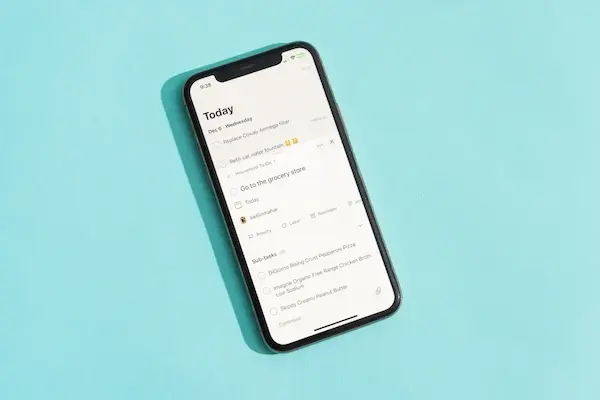
Feeling lost among daily tasks is more common than many people like to admit, especially when responsibilities pile up in your head, notes are scattered on paper, messages are sent to yourself and forgotten, and important things somehow slip through the cracks even when you try your best to remember them.
For people who want more organization but do not want complicated systems, simple to do list apps can become a powerful ally, because they bring clarity, structure, and calm to everyday life without demanding hours of setup or a steep learning curve.
This article was created for anyone who feels overwhelmed by daily responsibilities and wants something easy to use on the phone, something that helps instead of adding pressure, and something that fits naturally into a routine rather than turning productivity into another stressful obligation.
Throughout this guide, you will find a clear comparison of popular task list apps, explanations of essential features like daily checklist creation and reminders, honest pros and cons, practical examples of how people actually use these apps, and simple suggestions for building a task routine that takes only a few minutes per day.
The tone here is direct, friendly, and focused on simplicity, because the goal is not to do more things, but to feel more in control of what already needs to be done.
Why Simple To Do List Apps Make Such a Big Difference
Understanding why simple to do list apps are so helpful starts with recognizing how the human brain works, because our minds are not designed to store endless lists of tasks, appointments, and small obligations without getting tired or distracted.
When everything stays in your head, mental energy is constantly spent trying to remember what needs to be done next, which often leads to stress, procrastination, and the feeling that you are always behind, even on days when you are actually working hard.
A task list app acts like an external memory, allowing your brain to relax because it knows that nothing important will be forgotten, which is especially valuable for people who juggle work, family, studies, and personal responsibilities.
Common Problems Task List Apps Help Solve
- Forgetting small but important tasks.
- Feeling overwhelmed by too many responsibilities.
- Wasting time deciding what to do next.
- Starting the day without a clear plan.
- Ending the day with unfinished loose ends.
When used correctly, even the simplest daily checklist can bring noticeable relief.
What Makes a To Do List App Truly Simple
Not every app that calls itself simple actually feels simple in daily use, because true simplicity is not about having fewer features, but about making essential actions fast, clear, and intuitive.
For someone who just wants to stay on track, a good task list app should feel almost invisible, allowing tasks to be added, checked, and reviewed without friction.
Essential Characteristics of Simple To Do List Apps
- Fast task creation with minimal steps.
- Clear visual layout without clutter.
- Easy way to mark tasks as done.
- Basic reminders that are not overwhelming.
- Optional categories without complexity.
Apps that require long setup processes, complex project systems, or constant decisions often discourage the very people who need help the most.
Core Features That Matter in Task List Apps
Before comparing specific apps, it is useful to understand the core features that make a real difference in everyday productivity basics, because once you know what to look for, choosing becomes much easier.
Daily Checklist Functionality
A daily checklist allows you to see what needs to be done today at a glance, which reduces mental overload and helps you focus on one task at a time.
- Tasks listed clearly.
- Checkboxes for completion.
- Visual progress throughout the day.
Reminders That Actually Help
Reminders are useful when they support your memory, not when they interrupt constantly.
- Time based reminders.
- Optional notifications.
- Ability to turn reminders off easily.
Categories or Lists for Light Organization
Simple categories help separate areas of life without turning the app into a complex planner.
- Work tasks.
- Personal tasks.
- Shopping lists.
Overview of Popular Simple To Do List Apps
In this app comparison, we will look at five popular and safe task list apps that are widely used and known for being beginner friendly, focusing on how they behave in real daily use rather than marketing promises.
Apps Covered in This Review
- Google Tasks
- Microsoft To Do
- Todoist
- Any.do
- TickTick
Each app will be analyzed with features, pros, cons, and practical usage examples.
Google Tasks: Minimalism for Everyday Lists
Google Tasks is designed for users who want the simplest possible task list without visual distractions, making it a strong option for beginners who prefer clarity over customization.
Main Features of Google Tasks
- Quick task creation.
- Subtasks.
- Due dates.
- Basic reminders.
Pros of Google Tasks
- Very clean interface.
- Easy to understand.
- Free to use.
Cons of Google Tasks
- Limited customization.
- No advanced categories.
Practical Use Example
Google Tasks works well for a simple daily checklist, grocery lists, and reminders like paying bills or calling someone.
Microsoft To Do: Clear Structure Without Pressure
Microsoft To Do offers slightly more features than Google Tasks while keeping a friendly and calm interface that suits people who want structure but not complexity.
Main Features of Microsoft To Do
- Daily My Day list.
- Reminders.
- Due dates.
- Categories.
Pros of Microsoft To Do
- Easy daily planning.
- Clear visual design.
- Good free options.
Cons of Microsoft To Do
- Limited advanced automation.
Practical Use Example
This app is useful for people who want to start each day by choosing a few important tasks without managing complex projects.
Todoist: Simple at First, Powerful If Needed
Todoist is known for its balance between simplicity and growth, allowing beginners to start small while offering more options later if habits improve.
Main Features of Todoist
- Task lists.
- Reminders.
- Categories.
- Recurring tasks.
Pros of Todoist
- Clean interface.
- Scales with your needs.
- Strong free version.
Cons of Todoist
- Some features locked behind paid plans.
Practical Use Example
Todoist fits people who want a daily checklist now and the option to grow into more organized systems later.
Any.do: Friendly Design With Built In Reminders
Any.do focuses on reminders and daily planning, making it appealing for users who forget tasks easily and want extra prompts.
Main Features of Any.do
- Daily planner.
- Reminders.
- Task categories.
Pros of Any.do
- User friendly design.
- Strong reminder system.
Cons of Any.do
- Free version limitations.
Practical Use Example
This app works well for busy people who rely heavily on reminders to stay on track.
TickTick: Feature Rich Yet Accessible
TickTick includes more features than other simple to do list apps, yet it remains accessible if used lightly.
Main Features of TickTick
- Task lists.
- Reminders.
- Calendar view.
- Habit tracking.
Pros of TickTick
- Flexible usage.
- Strong free options.
Cons of TickTick
- May feel busy for some beginners.
Practical Use Example
TickTick suits users who want tasks and light habit tracking in one place.
Side by Side Comparison of Simple To Do List Apps
Looking at key differences makes choosing easier.
Quick Comparison Points
- Maximum simplicity: Google Tasks.
- Daily focus: Microsoft To Do.
- Future growth: Todoist.
- Reminder heavy: Any.do.
- All in one: TickTick.
How to Choose the Right App for Your Routine
The best app depends on how you live your day.
Questions to Ask Before Choosing
- Do I want reminders or just lists?
- Do I prefer one daily list or multiple categories?
- Am I easily overwhelmed by features?
- Do I want something I can grow into?
Suggested Daily Routine Using a To Do List App
Using a task list app does not need to take much time.
Morning Routine in 3 Minutes
- Open the app.
- Review today’s tasks.
- Add new tasks if needed.
During the Day
- Check tasks as completed.
- Add tasks when something comes up.
Evening Review in 2 Minutes
- Check unfinished tasks.
- Move them to tomorrow if needed.
Common Mistakes When Using Task List Apps
Avoiding common mistakes keeps the system helpful.
- Adding too many tasks.
- Using too many apps.
- Ignoring reminders.
- Over organizing.
Frequently Asked Questions About Simple To Do List Apps
Do I need internet to use these apps?
Most apps work offline and sync later.
Are free options enough?
For basic use, free plans are usually sufficient.
Can I switch apps later?
Yes, most apps allow export.
Bringing Calm Back to Your Daily Tasks
Choosing among simple to do list apps does not require technical knowledge or a big productivity overhaul, because the right app is the one that helps you remember, focus, and finish tasks with less stress and more clarity.
By understanding essential features like daily checklist creation, reminders, and light categories, and by comparing real strengths and weaknesses of popular task list apps, you can make a confident choice that fits your life instead of forcing you to adapt to the tool.
Once tasks move out of your head and into a clear list you can trust, daily life feels lighter, decisions become easier, and productivity basics finally start working in your favor.